Tools, hacks, and resources every modern creator needs to work faster, smarter, and better—without spending a dollar.
Introduction: Why Free AI Tools Will Dominate Creator Workflows in 2026
In 2026, being a creator is no longer about working harder — it’s about working smarter.
Whether you’re:
- A blogger
- Pinterest creator
- YouTuber
- Freelancer
- Digital product seller
- Side-hustler
AI is no longer optional. It’s the engine behind productivity, creativity, and growth.
The good news?
You do not need expensive subscriptions to benefit from AI.
Many of the most powerful AI tools in 2026 are completely free, or offer generous free plans that are more than enough for creators just starting out — or even scaling.
This guide is designed for:
- Creators who want real tools, not hype
- People who want direct links and practical use cases
- Pinterest users who want save-worthy, actionable resources
Let’s break down the best free AI tools every creator should be using in 2026, organized by category for easy reference.

Category 1: Free AI Writing & Content Creation Tools
Writing remains the backbone of most creator businesses — blog posts, pin descriptions, scripts, captions, emails, and digital products.
These tools help you write faster, clearer, and more consistently.
1. ChatGPT (Free Version)
Best for:
- Blog outlines
- Pinterest descriptions
- Prompt engineering
- Script writing
- Brainstorming ideas
Why it’s essential in 2026:
Even the free version of ChatGPT has become a creator’s Swiss Army knife. While paid plans unlock more features, the free tier is still powerful enough for:
- Generating blog post outlines
- Writing first drafts
- Creating viral hook ideas
- Repurposing content
- Improving clarity and tone
Best use case for Pinterest creators:
- Writing keyword-rich pin titles
- Creating pin descriptions optimized for Pinterest search
- Generating multiple content angles from one idea
🔗 Tool Link: https://chat.openai.com/
2. Claude AI (Free Plan)
Best for:
- Long-form writing
- Editing and rewriting
- Cleaner, more “human” content
Why creators love it:
Claude is known for producing more natural, less robotic writing compared to many AI tools. It’s especially useful for:
- Long blog posts
- Rewriting AI content to sound human
- Expanding rough drafts into polished articles
If you’re worried about your content sounding “too AI,” Claude is a fantastic free alternative.
Pro creator tip:
Use ChatGPT for ideas → Claude for refinement.
🔗 Tool Link: https://claude.ai/
3. Google Gemini (Formerly Bard)
Best for:
- Research
- Fact checking
- Content ideation
- Google ecosystem users
Why it matters in 2026:
Gemini integrates tightly with Google Docs, Gmail, and Drive — making it ideal for creators already working inside Google’s ecosystem.
It excels at:
- Summarizing complex topics
- Answering research-heavy questions
- Generating structured content ideas
🔗 Tool Link: https://gemini.google.com/
Category 2: Free AI Design & Visual Creation Tools
Pinterest is a visual platform first.
No matter how good your content is, design matters.
These tools help you create scroll-stopping visuals without being a professional designer.
4. Canva (Free Version)
Best for:
- Pinterest pins
- Instagram graphics
- Lead magnets
- E-books
- Printables
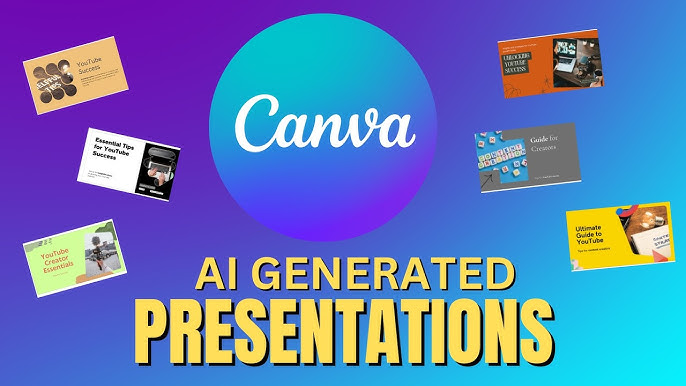
Why Canva remains unbeatable:
Canva is still the #1 design tool for creators — and its free version is surprisingly powerful.
In 2026, Canva’s AI features allow you to:
- Generate designs from text prompts
- Auto-resize designs for different platforms
- Remove backgrounds (limited free usage)
- Create brand kits (basic)
Pinterest-specific advantage:
- Thousands of vertical pin templates
- Drag-and-drop simplicity
- Easy batch pin creation
🔗 Tool Link: https://www.canva.com/
5. Leonardo AI (Free Tier)
Best for:
- AI images
- Blog illustrations
- Pinterest pin backgrounds
- Digital product visuals
Why it’s trending:
Leonardo AI offers high-quality AI image generation with a generous free plan. It’s especially popular among creators who want:
- Unique visuals (not overused stock photos)
- AI-generated backgrounds
- Illustrations for blog posts and pins
Pinterest hack:
Custom AI images help your pins stand out and avoid looking like everyone else’s.
🔗 Tool Link: https://leonardo.ai/
6. Microsoft Designer (Free)
Best for:
- Quick social graphics
- AI-assisted design
- Text-to-image layouts
Why it’s underrated:
Microsoft Designer combines AI image generation with layout suggestions, making it great for creators who want fast results without overthinking design.
🔗 Tool Link: https://designer.microsoft.com/
Category 3: Free AI Tools for Video & Audio Creators
Short-form video continues to dominate in 2026 — not just on TikTok and YouTube Shorts, but increasingly on Pinterest Idea Pins.
7. CapCut (Free)
Best for:
- Short-form videos
- Pinterest Idea Pins
- Reels and Shorts

Why creators swear by it:
CapCut offers professional-level features for free:
- Auto captions
- Templates
- AI background removal
- Text animations
If you’re creating:
- Faceless videos
- Quote videos
- Tutorial clips
CapCut is essential.
🔗 Tool Link: https://www.capcut.com/
8. Descript (Free Plan)
Best for:
- Video editing
- Podcast editing
- Screen recordings
Why it’s unique:
Descript lets you edit video by editing text. Delete a word → the video edits itself.
Even the free plan allows:
- Limited transcription
- Basic video/audio editing
- Screen recording
🔗 Tool Link: https://www.descript.com/
Category 4: Free AI Tools for Productivity & Automation
Creators don’t fail because of lack of ideas — they fail due to burnout and overwhelm.
These tools help you save time, energy, and mental bandwidth.
9. Notion AI (Free Tier)
Best for:
- Content planning
- Idea databases
- Workflow organization
Why it’s a creator favorite:
Notion AI helps you:
- Turn bullet points into content
- Summarize notes
- Organize content calendars
- Store prompts and ideas
Many creators use Notion as their second brain.
🔗 Tool Link: https://www.notion.so/
10. Zapier (Free Plan)
Best for:
- Automating repetitive tasks
- Connecting apps
Examples for creators:
- Auto-save Pinterest ideas
- Send form responses to Google Sheets
- Connect content workflows
Even simple automations can save hours per week.
🔗 Tool Link: https://zapier.com/
Why These Free AI Tools Perform So Well on Pinterest
Pinterest users are planners, not scrollers.
They:
- Save content for later
- Look for tools and resources
- Want practical solutions
Articles like this work because they offer:
- Immediate value
- Clear categories
- Save-worthy lists
- Evergreen relevance
That’s why “Free tools” + “AI” + “Creator” is a Pinterest traffic magnet.
Category 5: Free AI Tools for SEO & Pinterest Search Growth
In 2026, creators who understand search intent win — especially on platforms like Pinterest, which functions more like Google than social media.
AI-powered SEO tools help you:
- Find low-competition keywords
- Optimize titles and descriptions
- Rank faster without guesswork
The best part? Several excellent tools are 100% free.
11. Google Keyword Planner (Free)
Best for:
- Keyword research
- Search volume estimation
- Understanding audience intent
Why it still matters:
Even in 2026, Google Keyword Planner remains one of the most reliable sources of keyword data.
You can use it to:
- Validate blog topics
- Find long-tail keywords
- Understand seasonal trends
Pinterest strategy tip:
Keywords that perform well on Google often perform well on Pinterest too — especially informational and evergreen topics.
🔗 Tool Link: https://ads.google.com/home/tools/keyword-planner/
12. Pinterest Trends (Free)
Best for:
- Discovering trending Pinterest topics
- Seasonal content planning
- Niche validation
Why it’s essential for Pinterest creators:
Pinterest Trends shows what people are actively searching for on Pinterest — directly from Pinterest itself.
You can:
- Compare keyword popularity
- Spot rising trends early
- Plan content 2–3 months ahead
This tool alone can 10x your Pinterest traffic if used consistently.
🔗 Tool Link: https://trends.pinterest.com/
13. Ahrefs Free SEO Tools
Best for:
- Keyword ideas
- Website authority checks
- SERP analysis
What you get for free:
Ahrefs offers a suite of free tools that include:
- Keyword generator
- SERP checker
- Website authority checker
Perfect for creators who want professional-grade insights without paying.
🔗 Tool Link: https://ahrefs.com/free-seo-tools
Category 6: Free AI Tools for Monetization & Side Hustles
Creators in 2026 aren’t just creating — they’re monetizing.
These tools help you:
- Build digital products
- Sell services
- Create income streams using AI
14. Gumroad (Free to Start)
Best for:
- Selling digital products
- Templates, guides, prompt packs
- Low-barrier monetization
Why creators love it:
Gumroad is free to use — they only take a small fee when you make a sale.
You can sell:
- AI prompt bundles
- Canva templates
- Notion dashboards
- E-books
Pinterest advantage:
Pinterest traffic converts exceptionally well for digital products.
🔗 Tool Link: https://gumroad.com/
15. Ko-fi (Free)
Best for:
- Creator support
- Memberships
- Donations
- Digital downloads
Ko-fi allows creators to:
- Accept one-time support
- Offer memberships
- Sell simple digital products
Great for creators who don’t want a complex setup.
🔗 Tool Link: https://ko-fi.com/
16. Stripe Payment Links (Free)
Best for:
- Simple payments
- Service-based creators
- No website required
Stripe lets you generate payment links you can share anywhere — including Pinterest landing pages or Linktree-style bios.
🔗 Tool Link: https://stripe.com/payments/payment-links
Category 7: Free AI Prompt Libraries & Inspiration Tools
Prompt engineering is a skill, not just typing random commands.
These tools help you:
- Learn how good prompts are structured
- Save time experimenting
- Improve output quality
17. FlowGPT
Best for:
- Community-driven prompt ideas
- ChatGPT prompts
- Workflow inspiration
Think of FlowGPT as a Pinterest for prompts.
You can:
- Browse trending prompts
- Save prompt ideas
- Adapt prompts for your own niche
🔗 Tool Link: https://flowgpt.com/
18. PromptBase (Free Browsing)
Best for:
- Studying high-quality prompts
- Learning prompt frameworks
While PromptBase sells prompts, you can browse and analyze them for free — which is extremely valuable for learning.
🔗 Tool Link: https://promptbase.com/
19. GitHub (Free Prompt Repositories)
Best for:
- Advanced prompts
- Open-source AI workflows
Many developers and creators share:
- Prompt collections
- AI automation scripts
- Workflow ideas
Search GitHub for:
- “ChatGPT prompts”
- “AI prompt engineering”
🔗 Tool Link: https://github.com/
Category 8: Free AI Tools for Email, Copy & Marketing
Email and copywriting still drive sales and engagement — even in 2026.
These tools help you write better copy faster.
20. Mailchimp (Free Plan)
Best for:
- Email newsletters
- Lead magnets
- Simple automations
Mailchimp’s free plan is enough for:
- Beginner creators
- Small email lists
- Lead capture from Pinterest
🔗 Tool Link: https://mailchimp.com/
21. HubSpot Free Marketing Tools
Best for:
- Email marketing
- CRM
- Landing pages
HubSpot offers powerful free tools that scale well as your audience grows.
🔗 Tool Link: https://www.hubspot.com/products/free
How to Stack These Tools Into a Powerful Creator Workflow
Here’s an example free AI creator stack:
- Pinterest Trends → Find topic
- ChatGPT → Generate outline
- Claude AI → Write polished article
- Canva → Design pins
- CapCut → Create Idea Pins
- Notion AI → Store workflow
- Gumroad → Monetize content
This stack costs $0 and can generate:
- Traffic
- Leads
- Sales
The Ultimate Free AI Creator Stack (Step-by-Step)
Most creators don’t fail because they lack tools — they fail because they use too many tools without a system.
Below is a simple, repeatable workflow using only free AI tools that works for bloggers, Pinterest creators, YouTubers, and digital product sellers.
Step 1: Discover What People Actually Want
Tools Used:
- Pinterest Trends
- Google Keyword Planner
How to use them together:
- Search your niche keyword in Pinterest Trends
- Identify rising or consistently searched terms
- Validate the topic using Google Keyword Planner
📌 This ensures your content is demand-driven, not guesswork.
Step 2: Generate Content Ideas & Angles
Tools Used:
- ChatGPT
- FlowGPT
Workflow:
- Ask ChatGPT for:
- Blog title ideas
- Hook variations
- Subheadings
- Use FlowGPT to refine prompt structure and discover new angles
📌 One topic can easily become 10+ content pieces.
Step 3: Write High-Quality, Human-Sounding Content
Tools Used:
- Claude AI
- Google Gemini
Workflow:
- Use ChatGPT or Gemini for rough drafts
- Polish and humanize using Claude
- Manually add:
- Personal insight
- Real examples
- Clear formatting
📌 This reduces AI detection risks and increases reader trust.
Step 4: Design Scroll-Stopping Pinterest Visuals
Tools Used:
- Canva
- Leonardo AI
Workflow:
- Generate custom AI images in Leonardo
- Design multiple pin variations in Canva:
- Bold headline pin
- List-style pin
- Minimal aesthetic pin
📌 More pins = more traffic opportunities.
Step 5: Create Video Content Without Showing Your Face
Tools Used:
- CapCut
- Descript
Workflow:
- Turn blog points into short scripts
- Create:
- Text-based videos
- Screen recordings
- Slideshow clips
📌 Video pins dramatically increase reach in 2026.
Step 6: Organize Everything in One Place
Tools Used:
- Notion AI
What to store:
- Prompts
- Content calendar
- Pin designs
- Affiliate links
- Product ideas
📌 Your productivity multiplies when your brain is organized.
Step 7: Monetize (Even With a Small Audience)
Tools Used:
- Gumroad
- Ko-fi
- Stripe Payment Links
Monetization ideas:
- AI prompt bundles
- Canva templates
- Notion dashboards
- Mini guides
📌 You don’t need millions of views to make money.
Common Mistakes Creators Make With Free AI Tools
Avoid these mistakes if you want long-term success.
❌ Mistake 1: Copy-Pasting AI Content Without Editing
AI should assist, not replace your thinking.
✔ Fix:
- Add examples
- Add personal opinions
- Rephrase robotic sentences
❌ Mistake 2: Using Too Many Tools at Once
More tools ≠ better results.
✔ Fix:
- Build one core workflow
- Master a few tools deeply
❌ Mistake 3: Ignoring Pinterest SEO
Pretty pins without keywords don’t rank.
✔ Fix:
- Use keywords in:
- Pin titles
- Descriptions
- Board names
❌ Mistake 4: Not Updating Content
AI and tools evolve fast.
✔ Fix:
- Update posts yearly
- Refresh pin designs every few months
How to Future-Proof Your Content for 2026 and Beyond
AI tools will change — skills will not.
Focus on:
- Prompt engineering
- Content strategy
- Visual storytelling
- Audience trust
Creators who win in the long run:
- Use AI ethically
- Focus on value
- Build systems, not hacks
Why This Article Will Perform Well on Pinterest
This guide works because it is:
✔ Evergreen
✔ Highly actionable
✔ Save-worthy
✔ Beginner-friendly
✔ Monetization-ready
Pinterest users love:
- Lists
- Tools
- Resources
- Step-by-step guides
This article checks every box.
Final Thoughts: You Don’t Need Paid Tools to Win
In 2026, creators who succeed aren’t those with the biggest budgets — they’re the ones with clarity, consistency, and smart systems.
Free AI tools have leveled the playing field.
If you:
- Learn how to use them
- Apply them strategically
- Stay consistent
You can build traffic, income, and influence — without spending a dollar.